
Cross vendor database copy utility and API
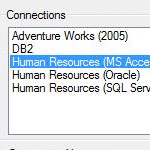
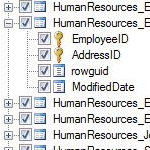
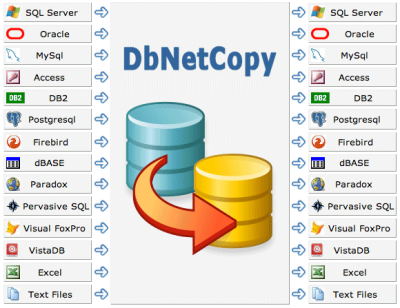
DbNetCopy provides a quick and easy way to copy information between different types of databases. DbNetCopy includes a GUI application that is ideal for one off transfer of data and also an API .Net assembly that allows custom solutions to be created.
|
|
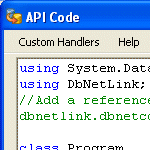
Sample API code.
        ...
        // Source MS Access connection string
        string SourceStr = @"Provider=Microsoft.Jet.OLEDB.4.0; Data Source=C:\uploadedfiles\transactions.mdb;"
        // Target MS Sql Server connection string
        string TargetStr = @"Server=DbServer;database=Sales;Trusted_Connection=true;"

        // Create source connection
        DbNetData SourceConn = new DbNetData(SourceStr);
        // Create target connection
        DbNetData TargetConn = new DbNetData(TargetStr);

        using (DbNetCopy DNC = new DbNetCopy(SourceConn, TargetConn))
        {
            // Copy schema and data
            DNC.CopyOption = CopyOptions.SchemaAndData;
            // Use default schema in target database
            DNC.SchemaOption = SchemaOptions.Drop;
            // Drop the table first in the target database
            DNC.DropTargetTable = true;
            // Copy the entire database
            DNC.CopyDatabase();
        }
        ...
Download
Examples
Demo

 We purchased a copy a couple of days after the evaluation. ...
Overall, the product and support is excellent and I will recommend it to others.
We work heavily in the MDA (model driven architecture) area where we can switch databases without changing any SQL. Your migration tool is perfect where customers may use different database servers
We purchased a copy a couple of days after the evaluation. ...
Overall, the product and support is excellent and I will recommend it to others.
We work heavily in the MDA (model driven architecture) area where we can switch databases without changing any SQL. Your migration tool is perfect where customers may use different database servers

Examples
Demo
Featured customer
We purchased a copy a couple of days after the evaluation. ...
Overall, the product and support is excellent and I will recommend it to others.
We work heavily in the MDA (model driven architecture) area where we can switch databases without changing any SQL. Your migration tool is perfect where customers may use different database servers
Shamresh Khan, AMX UK Ltd